Tools · Manage
Reclaim Solana Rent: Close Empty Token Accounts
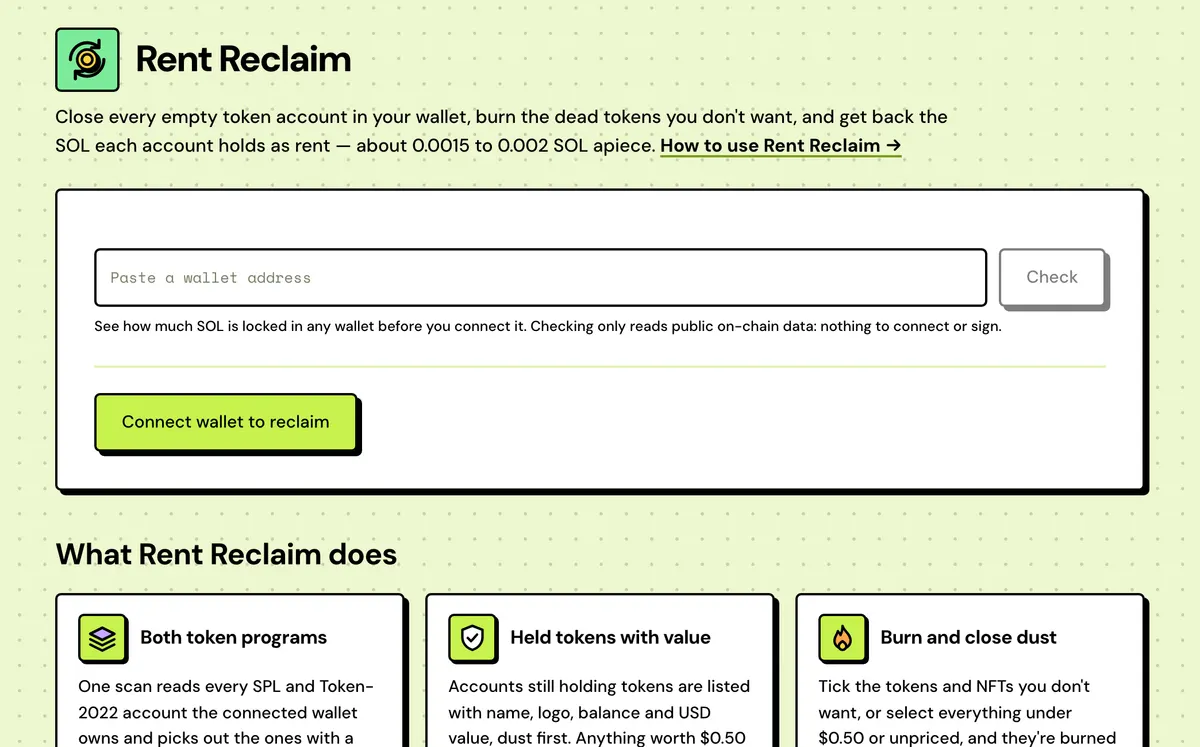
Close empty token accounts and recover their rent: about 0.002 SOL each on older accounts, 0.0015 on newer ones.
How to use Rent Reclaim
- Connect your wallet: it's scanned as soon as it connects. To look first, paste any wallet address and check it, with nothing to connect or sign.
- Review the empty accounts found, and tick any held tokens you want burned and closed.
- Check the total: accounts closing, SOL coming back and transactions needed.
- Sign to close and reclaim the rent.
- Both token programs
- Held tokens with value
- Burn and close dust
- Each account listed
- Exact SOL total
- Up to 200 per approval
- No Solstack fee
- Live batch status
Watch it done
FAQ
What is rent?
A deposit every token account holds: ~0.0015 SOL, or ~0.002 on accounts opened before the 2026 rent cut. Closing the account returns it.
Which accounts can be closed?
Empty ones, plus any holding tokens you choose to burn first. Receiving the token again recreates the account.
Can I sell instead of burning?
Yes, for tokens worth $0.50 or more on Mainnet. Tick one and it's sold for SOL through Jupiter, and its account closed for the rent, in one transaction. If the price moves more than 2% first, the sale fails and you keep the tokens. Switch it to Burn to burn it instead.
Does it affect the token?
Closing an empty account doesn't. Burning lowers the token's supply by the amount you burn.
Is there a fee?
No Solstack fee. You keep all the rent and all the SOL a sale brings in, minus the network fee for each batch.
My wallet has no SOL. Can I still reclaim?
Yes. If it holds less than 0.001 SOL, Solstack pays the network fee and each transaction pays it back from the rent it returns: 0.00001 SOL a transaction. You still approve once. Selling needs a little SOL in the wallet first.
Do I need to connect a wallet?
To reclaim, yes: the connected wallet signs the closes and receives the rent. To see how much SOL a wallet holds first, paste its address and check it: that only reads public on-chain data, with nothing to connect or sign. For wallets you hold as private keys, use the Solana Wallet Cleaner.
Everything about the Reclaim Solana RentFeatures in full, costs and the complete guide
What Rent Reclaim does
Both token programs
One scan reads every SPL and Token-2022 account the connected wallet owns and picks out the ones with a zero balance.
Held tokens with value
Accounts still holding tokens are listed with name, logo, balance and USD value, dust first. Anything worth $0.50 or more can be sold for SOL through Jupiter, closing its account in the same transaction.
Burn and close dust
Tick the tokens and NFTs you don't want, or select everything under $0.50 or unpriced, and they're burned and closed in the same batches. NFTs return their metadata rent too; wrapped SOL is unwrapped, never burned.
Each account listed
The first 100 empty accounts are shown with their account address, mint and standard; the total and the close cover every one found.
Exact SOL total
The figure is the sum of each account's actual deposit, so larger Token-2022 accounts count in full.
Up to 200 per approval
Wallets that sign several transactions at once approve up to 10 batches of up to 20 closes in a single prompt.
No Solstack fee
The transactions carry close instructions, a burn for each token you burn and a Jupiter swap for each one you sell, and nothing else. No Solstack fee transfer is added: you keep all the rent and every sale's SOL.
Live batch status
Each batch shows its status and signature as it confirms, and switching Devnet or Mainnet rescans that network.
Reclaim Solana Rent: Complete Guide
What Rent Reclaim does
Every SPL or Token-2022 account you've ever held — even one that's now empty — sits on-chain holding a small SOL deposit called rent. Rent Reclaim finds the empty ones in your wallet and closes them in a batch, returning that SOL to you. It also lists the accounts still holding tokens, with their USD value, so you can sell what's worth something and burn and close the dead ones.
It's read-only until you sign: nothing closes without your review, and closing an empty account has no effect on the token itself — receive that token again and the account is simply recreated.
How much SOL can I get back?
About 0.002 SOL per empty token account opened before the 2026 rent cut, and 0.0015 for newer ones. A wallet that has traded a few hundred tokens often has dozens of them, so it adds up: 100 empty accounts return 0.15 to 0.2 SOL. Accounts close in batches of up to 20 per transaction, so the network fee is a small fraction of what comes back.
Why token accounts hold rent
Every account on Solana keeps a deposit, sized to its data, so the network will store it. A token account is created the first time you receive a token, and it stays open after you sell or send the last of it, with the deposit still locked inside. Closing the account is the only way to get it back.
Is it safe?
- Empty accounts close as they are. An account holding tokens is only burned and closed if you tick it, and the review shows how many tokens and how much value is burned.
- Frozen accounts are skipped, since they can't be closed.
- Closing an account doesn't affect the token. Receive it again and the account is recreated.
- Nothing closes until you sign, and the rent returns to the connected wallet.
Tokens you still hold
Accounts that still hold tokens are listed below the empty ones, with name, balance and USD value, dust first. Tokens worth $0.50 or more get a Sell / Burn switch: ticked on Sell, each is sold for SOL through Jupiter and its account closed in one transaction. Tick the dust, spam and NFTs you don't want and they're burned and closed in batches, returning their rent too; an NFT also returns its metadata rent. One click selects everything under $0.50 or with no price, another selects every NFT. For many wallets at once, the Solana Wallet Cleaner does the same across all of them.
What a scan shows
Connect a wallet and it's scanned straight away: the scan finds every SPL and Token-2022 account with a zero balance, shows the mint and token standard behind them, lists the accounts still holding tokens with their value, and totals the SOL they'll return and the transactions that takes. Empty accounts close 18 to a transaction; one being burned first takes two slots. The scan only covers the network picked in the top bar, so check the Devnet/Mainnet toggle if nothing turns up.
SOL back by number of empty accounts
Rent per account depends on when it was opened: about 0.0015 SOL since the 2026 rent cut, about 0.002 SOL before it. Each transaction closes up to 20 accounts and costs a 0.000005 SOL base fee.
| Empty accounts | Transactions | SOL back (newer) | SOL back (older) |
|---|---|---|---|
| 10 | 1 | ~0.015 | ~0.02 |
| 50 | 3 | ~0.075 | ~0.1 |
| 100 | 5 | ~0.15 | ~0.2 |
| 250 | 13 | ~0.375 | ~0.5 |
| 500 | 25 | ~0.75 | ~1 |
What it costs
Free. You keep all the rent reclaimed and all the SOL any sale brings in, minus the network fee.