Tools · Manage
Solana Token Burner: Destroy Tokens Permanently
Destroy tokens from your wallet, permanently, lowering the mint's total supply.
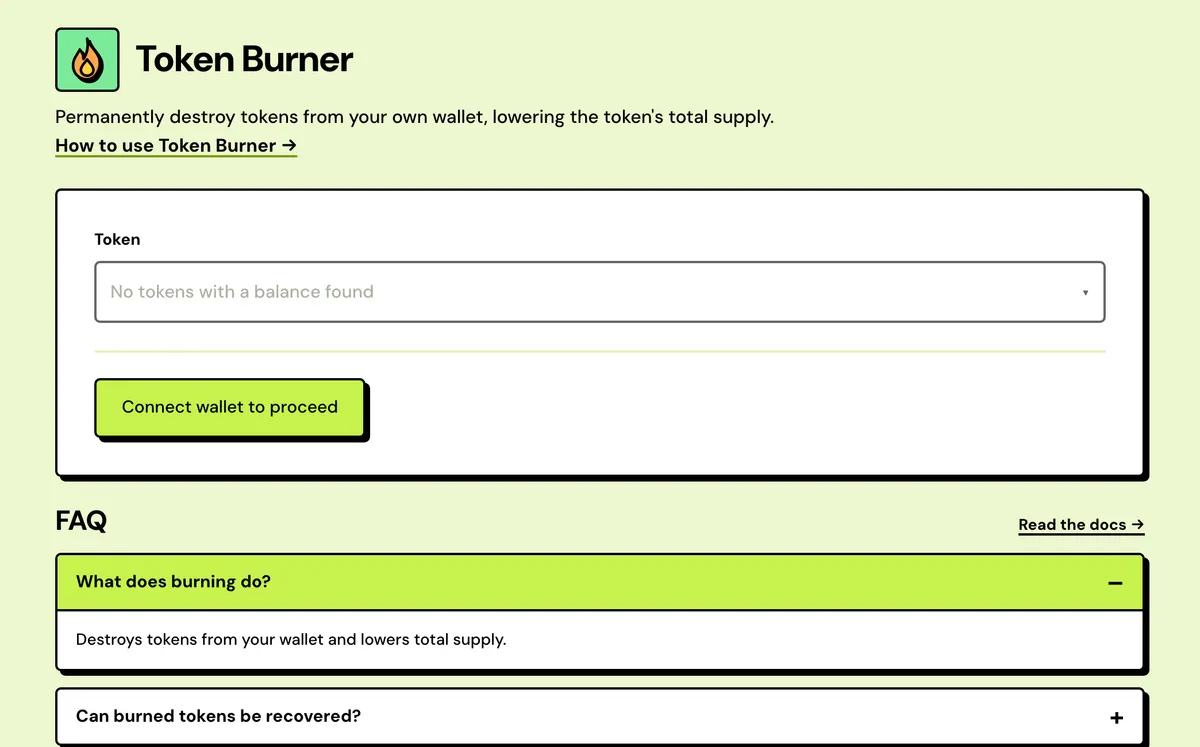
How to use the Solana Token Burner
- Connect your wallet.
- Pick the token from your holdings.
- Enter the amount to burn.
- Review and sign.
- Picks from your wallet
- SPL and Token-2022
- Partial or full
- Review before signing
- Opens from a token page
- Supply drops on-chain
FAQ
Can burned tokens be recovered?
No.
Do I need any authority?
No — you can burn what you own.
Does supply drop on explorers?
Yes.
Is it free?
Yes. Solstack charges nothing; you pay only the network fee.
Does it work with Token-2022?
Yes. SPL and Token-2022 tokens burn the same way, with no authority needed.
Can I burn spam tokens someone sent me?
Yes. Burn them, then close the empty account with Reclaim Solana Rent to get its deposit back.
Can I burn part of my balance?
Yes. Enter any amount up to what you hold; Max fills in all of it.
Everything about the Solana Token BurnerFeatures in full, costs and the complete guide
What the Token Burner does
Picks from your wallet
Every token with a balance in the connected wallet, on the network you picked, is listed with its logo, symbol and amount held.
SPL and Token-2022
Both token programs burn the same way, and the burner uses whichever program the token belongs to.
Partial or full
Enter any amount up to your balance, or press Max. An amount above what you hold is stopped before anything is signed.
Review before signing
The review shows the token, mint, amount, token standard and the balance you will have left after the burn.
Opens from a token page
Burn links in My Tokens open the burner with that token already picked, and warn if this wallet holds none of it.
Supply drops on-chain
The mint's total supply falls by the amount burned, which any explorer or the Solana Token Inspector shows.
Solana Token Burner: Complete Guide
What does burning a token do?
Burning removes tokens from circulation for good — no authority needed beyond owning the tokens themselves. Useful for cleaning out dust, honoring a supply-reduction commitment, or getting rid of a token you never want to see again.
The burn shows up on any explorer as a drop in total supply, not just your own balance.
Burn, or send to a dead address?
Sending tokens to an incinerator or unused address takes them out of circulation in practice, but the mint's total supply doesn't change. Burning destroys them on-chain and lowers the supply by the same amount, which anyone can check on an explorer.
What you need
- Only the tokens themselves. No mint authority is needed to burn what you hold, SPL or Token-2022.
- A little SOL for the network fee. Solstack charges nothing.
- The amount. Max burns your whole balance.
When projects burn
- Honoring a published supply-reduction commitment.
- Destroying unsold or treasury tokens after a sale.
- Clearing dust or unwanted tokens out of a wallet.
After the burn
A burn is final, with no confirmation step after you sign, so check the amount first. The emptied token account stays open with its rent deposit (about 0.0015 SOL, or 0.002 on accounts opened before the 2026 rent cut); Reclaim Solana Rent closes it and returns that SOL.
Limits and edge cases
- Only tokens with a balance in the connected wallet, on the network picked in the top bar, are listed. A token missing from the list usually means the wrong network.
- A frozen token account can't burn, so the transaction fails. The Solana Account Inspector shows whether an account is frozen.
- Every burn is a public transaction. Share the signature and anyone can check it in the Solana Transaction Inspector.
What you sign
One transaction with a single burn instruction, from your own token account, for the amount on the review screen. There's no Solstack fee in it. Max fills in your whole balance, so check the number before you sign if you only meant to burn part of it.
What a burn changes
| After the burn | What happens |
|---|---|
| Your balance | Drops by the amount burned. |
| Total supply | Drops by the same amount, for good. |
| Your token account | Stays open with its rent deposit, about 0.0015 to 0.002 SOL. Reclaim Solana Rent closes it once it's empty. |
| Other holders' balances | Unchanged. A burn only ever touches your own token account. |
| Mint authority | Unchanged. New supply can still be minted until the authority is revoked in the Solana Token Manager. |
| Liquidity pools | Unchanged. Burning from your wallet doesn't touch any pool's reserves. |
What it costs
Free — network fee only.