Tools · Utilities
Sign & Verify a Solana Message
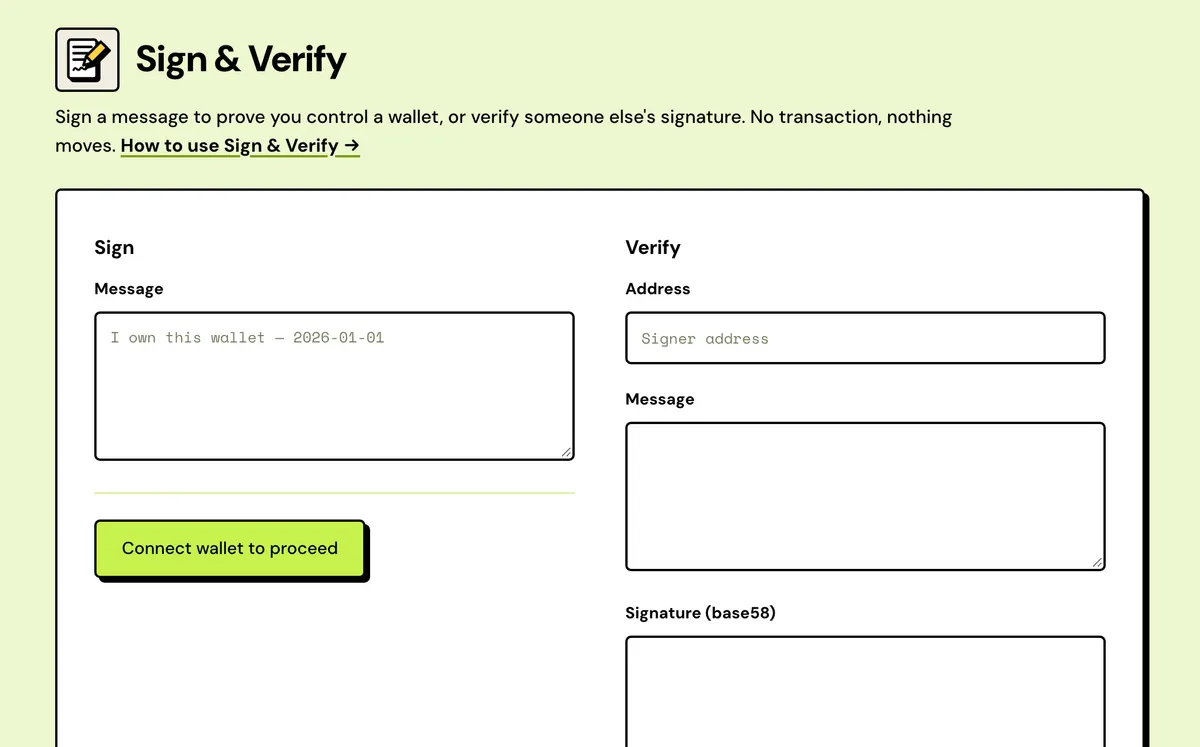
Sign a message to prove wallet ownership, or verify a signature against a public key.
How to use the Sign & Verify a Solana Message
- Connect your wallet to sign, or paste a message, signature and public key to verify.
- Type the message to sign.
- Sign it, or press Verify.
- Copy the signature, or send it straight to the verifier.
- Signs your exact text
- Base58 signature
- Send to verifier
- Inputs checked first
- Local ed25519 check
- No wallet to verify
FAQ
What is message signing for?
Proving you control a wallet without a transaction.
Is it safe?
Signing plain text can't move funds — be wary of encoded data.
How does verification work?
The ed25519 signature is checked locally in your browser.
Does signing cost anything?
No. A signed message isn't a transaction, so there's no network fee.
Do I need a wallet to verify?
No. A wallet is only needed to sign.
What does a valid result prove?
That this address signed exactly this message. It doesn't say when, which is why a date in the message helps.
Is the signature recorded on-chain?
No. Nothing is sent to the network, so it leaves no on-chain record.
Why does my wallet refuse to sign?
Some hardware and older wallets don't support message signing. Try another wallet.
Everything about the Sign & Verify a Solana MessageFeatures in full, costs and the complete guide
What Sign & Verify does
Signs your exact text
The message is encoded as UTF-8 and passed to your wallet's message-signing request, which shows you the text before you approve.
Base58 signature
The result is a 64-byte ed25519 signature written in base58, shown next to the signer's address, ready to copy.
Send to verifier
One click copies your address, message and signature into the Verify form, so you can confirm the proof checks out before you send it.
Inputs checked first
Verify stops on an invalid address or a signature that doesn't decode to 64 bytes, and says which one it was.
Local ed25519 check
Verification runs in your browser with the tweetnacl library. No RPC call is made, and the message never leaves the page.
No wallet to verify
Anyone can check a signature without connecting anything. A wallet is only needed on the signing side.
Sign & Verify a Solana Message: Complete Guide
What is a signed message?
Signing a plain text message proves control of a wallet without a transaction — no funds move, nothing touches the chain. Use it to prove ownership for a support request, an allowlist, or anywhere a project asks you to sign to verify.
Verification runs the other direction: paste a message, a signature and a public key, and the ed25519 check happens locally in your browser.
When to use it
- Claiming a role in a Discord or Telegram group that asks you to prove a wallet.
- Proving ownership to a team, an exchange or a support desk.
- Showing you're the deployer of a token, or signing a public statement.
- Checking a signature someone else sent you.
Writing a message that can't be reused
A signature proves an address signed exactly this text, at some point. Put something in the message that ties it to now and to whoever asked: the date, the recipient, the purpose. Then it can't be lifted and replayed somewhere else. The same key and the same message always give the same signature.
Verifying a signature
Enter three things: the address that signed, the message exactly as signed, and the signature in base58. The ed25519 check runs in your browser, so nothing is sent anywhere. The message has to be identical, down to spaces and line breaks; one stray character turns a genuine signature invalid.
Staying safe
Signing readable text can't move funds, which is why it's used for proofs. Be wary of any request to sign text you can't read: a block of random-looking letters and numbers may be an encoded transaction in disguise. Some hardware and older wallets can't sign messages at all; try another wallet if yours refuses. To see what's on-chain about the signing address, use the Solana Account Inspector.
What to send the other person
Send three things together: your wallet address, the exact message you signed, and the base58 signature. Copy the message rather than retyping it, since even an extra space breaks verification. The other person can check it on this same page, with no wallet.
Signed message or transaction?
| Question | Signed message | Transaction |
|---|---|---|
| Can it move funds? | No | Yes |
| Network fee | None | At least 0.000005 SOL per signature |
| Recorded on-chain | No | Yes, permanently |
| Does it expire? | No. The same text always gives the same signature | Yes. Unsent, it lapses in about a minute when its recent blockhash expires |
| Who can check it | Anyone with the address, text and signature | Anyone, on any explorer |
What the verify results mean
| Result | Cause |
|---|---|
| Valid — this address signed exactly this message. | The address, the text and the signature all match. |
| Invalid — the signature does not match this address and message. | The text differs by a space, quote or line break, the address isn't the signer, or the signature belongs to another message. |
| Signature is not 64 bytes. | The signature was cut short or has extra characters. Copy it again in full. |
| Invalid address. | The address field isn't a valid Solana public key. |
| Any other error | Usually a signature pasted as hex or base64. This page reads base58 only. |
What it costs
Free.