Tools · Analyze
Solana Token Holder Snapshot: Export Every Holder to CSV
A CSV of every wallet holding a token or NFT collection, ranked by balance.
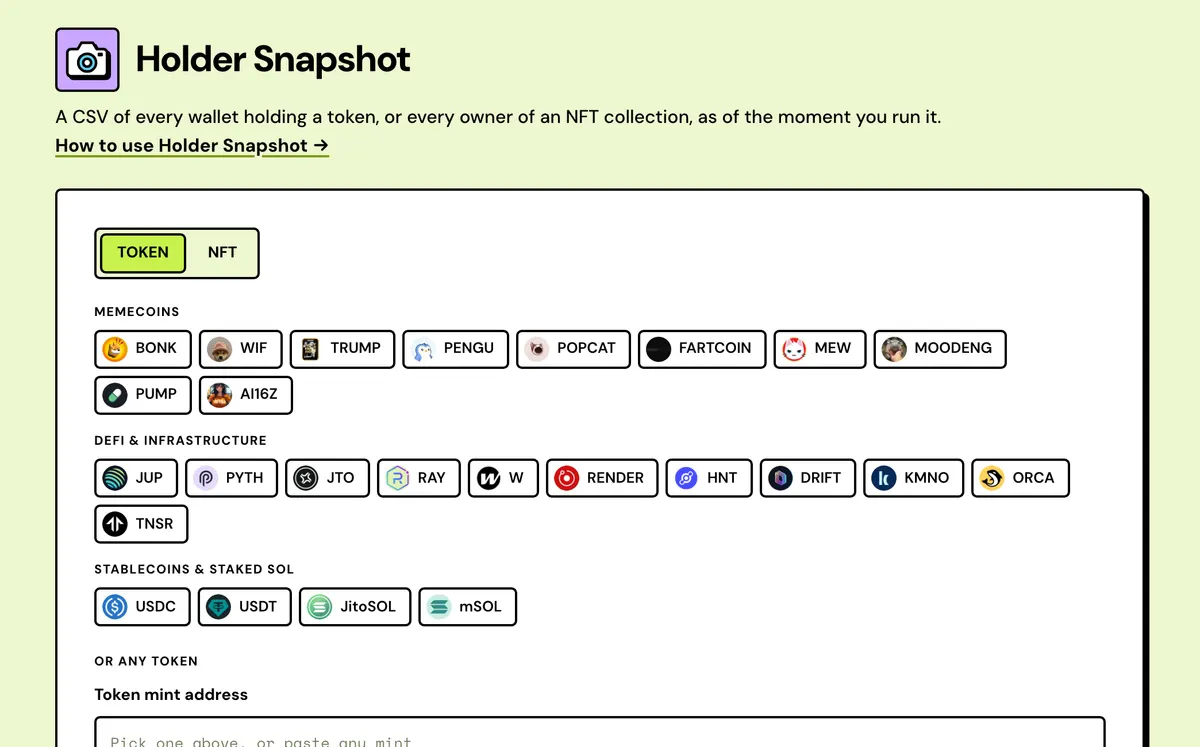
How to use the Holder Snapshot
- Enter a token or collection address, or pick a popular one on Mainnet.
- Set Top holders or a minimum balance if you want fewer rows, and take the snapshot.
- Check the counts and the first 200 rows, and find linked wallets if you want them.
- Export the CSV: approve the snapshot fee once in your wallet.
- One row per wallet
- Pools and programs named
- Linked wallets
- Million-holder scans
- Tokens and NFT collections
- Saved snapshots
FAQ
What does it cost?
Nothing to take a snapshot, see its counts and first 200 rows, or find linked wallets. The CSV with every row is 0.05 SOL per snapshot for up to 10,000 rows, 0.2 SOL up to 50,000, or 0.5 SOL above that, paid once. Choosing a Top holders number keeps a large token's CSV smaller. Exporting the same snapshot again from Past snapshots costs nothing; re-running it takes a new snapshot.
How are holders counted?
One row per owner wallet, with its token accounts added together, and empty accounts left out. Pools, locks and other program-owned addresses, and burn addresses, are listed and marked but not counted as wallets.
What does it contain?
Rank, owner, type, label, balance, share of supply, merged token accounts and linked group for a token; rank, owner, type, label and NFTs held for a collection.
Token or NFT?
Both — enter a mint or a collection address.
How current is it?
As of the moment you run it. A popular token's ranking can be up to an hour old, and its time is shown.
Do I need a wallet?
Not to take a snapshot. Exporting the CSV takes one, to pay the snapshot fee, and signing in with it keeps your paid snapshots across devices.
Is there a holder limit?
Up to 1.5 million token accounts, which covers a million-holder token like BONK in 3–4 minutes. A popular token's top 10,000 wallets come from a ranking in seconds; ask for more, or all, and every holder is read on-chain.
How big can an NFT collection be?
A collection address works at any size. A first verified creator address is read item by item, up to 2,000 items.
Can I leave out small holders?
Yes. Set a minimum balance, in whole tokens, to drop dust wallets, or keep only the top holders.
Everything about the Solana Token Holder SnapshotFeatures in full, how it compares, costs and the complete guide
What the Holder Snapshot does
One row per wallet
Token accounts with the same owner are added together and empty ones dropped, so the holder count is wallets rather than token accounts.
Pools and programs named
Raydium and Meteora pools, Pump.fun and LaunchLab curves, Jupiter limit orders and DCA, Magic Eden and Tensor escrows, and Solstack locks are labelled, not counted as wallets.
Linked wallets
Groups the largest 100 wallets by shared first SOL funder or shared first-buy payer, then estimates how many independent holders they really are.
Million-holder scans
Reads up to 1.5 million token accounts across many address ranges at once. A token with a million holders takes 3–4 minutes.
Tokens and NFT collections
A token mint, a collection address of any size, or a collection's first verified creator address for collections of up to 2,000 items.
Saved snapshots
Paid snapshots stay under Past snapshots, the last 30 per network, and export again free. Signing in with your wallet keeps them across devices.
Solstack vs other Solana holder snapshot tools
See the counts and the top of the list before you pay, with pools and linked wallets marked.
Solstack Holder Snapshot
- Counts and the first 200 rows show free, with no wallet connected
- Pools, bonding curves, locks and burn addresses are named, marked and kept out of the wallet count
- Find linked wallets groups the top 100 by shared funder or first-buy payer, at no charge
- Each snapshot has a How these numbers are counted panel with its own figures
Typical snapshot tool
- Often ask you to connect a wallet first, and some take the fee before the scan runs
- Rarely say how pools and program-owned addresses are treated
- Not mentioned by the tools we checked
- Rarely explain why their total differs from an explorer's
Solana Token Holder Snapshot: Complete Guide
What is a holder snapshot?
Enter a token mint or an NFT collection address and Holder Snapshot reads every holder as of that moment, ranked by balance. Holders are counted by wallet rather than by token account, and pools, bonding curves, locks and other addresses a program controls are named and kept out of the wallet count. Use it to feed Multisender a recipient list, check concentration before a launch, or keep a record of who holds what.
Taking a snapshot needs no wallet: the counts and the first 200 rows show on the page. The full list downloads as a CSV once that snapshot is paid for, and it's then kept under Past snapshots, in this browser or saved to your wallet when you sign in, ready to export again.
How holders are counted
- By wallet, not by token account. A wallet can hold one token in several token accounts, and Holder Snapshot adds them up: 60 in one and 40 in another is one wallet holding 100. The CSV's
token_accountscolumn says how many were merged. - Token accounts with a zero balance, such as the ones left behind when a wallet sells out, are never counted, whichever RPC the scan runs on.
- Every address gets a type.
walletis a keypair someone holds.programis an address only a program can sign for: a pool, a bonding curve, a lock, a vault, a multisig or a marketplace escrow, named where the program is known (a Raydium AMM v4 pool, a Pump.fun bonding curve, an Orca Whirlpool, a Meteora DLMM pool, a Jupiter limit order).burnis the incinerator or the system program's address. Program and burn addresses stay in the list and the CSV, marked, but aren't counted as wallets. - Up to 10,000 holders of a popular token are ranked by Birdeye, which adds up each wallet's token accounts before ranking. The total holder count Birdeye reports is its own figure, not one Solstack scanned.
- A wallet isn't a person. For a token, Find linked wallets reads the largest 100 wallets and groups the ones whose first SOL came from the same wallet, or whose first buy one wallet paid for, then gives an estimate of independent holders and a group letter for each linked wallet. Exchanges and trading services that fund thousands of wallets don't count as links.
- Every snapshot has a How these numbers are counted panel with its own figures, so a total that differs from another dashboard's can be traced to a reason.
What's in the CSV
- Token snapshots:
rank,owner,type,label,amount,raw_amount,share_of_supply_pct,token_accountsandlinked_group, one row per owner, largest first.linked_groupis filled in once Find linked wallets has run. - NFT snapshots:
rank,owner,type,labelandnfts, the number of items each owner holds. - The page shows the first 200 rows; every row is in the CSV.
Popular tokens and large holder counts
On Mainnet, famous tokens and NFT collections are one click. A popular token's top holders, up to 10,000 wallets, come from a ranking in seconds; the ranking can be up to an hour old, and its time is shown. Ask for more, or all, and every holder is read on-chain, as for any other token: many ranges of addresses at once, so most tokens take seconds and a million holders 3–4 minutes. A token with more than 1.5 million token accounts is too big for a browser tab. A scan that stops early is flagged Partial and its CSV isn't sold, because holders past that point are missing.
NFT collections
An NFT snapshot takes the collection address, read 1,000 NFTs at a time, so it works at any size. A collection's first verified creator address also works: that's usually the candy machine creator, which most explorers show on any NFT from the collection. By creator, holders are looked up item by item, so a larger collection takes longer, and the limit is 2,000 items. Either way, a wallet holding five of the collection is one wallet with five, and marketplace escrows and other program-owned addresses are marked rather than counted as wallets.
What to do with it
Edit the CSV and paste it into the Solana Multisender to send each holder an amount you choose, or let the Solana Token Airdrop take the snapshot and send in one flow. To see whether the top holders look like snipers or bundles, use the Solana Token Inspector. Paid snapshots are kept under Past snapshots, the last 30 per network in this browser, and export again at no charge; signing in with a wallet, a message signature rather than a transaction, saves them to Solstack's backend so they follow you to other devices.
Wallets vs token accounts
Explorers often count token accounts; Holder Snapshot counts owner wallets. This is how each kind of address ends up in a snapshot. The background is in why Solana holder counts differ.
| Address | In the CSV | Counted as a wallet |
|---|---|---|
| Wallet with one token account | One row | Yes |
| Wallet with several token accounts | One row, balances added; token_accounts says how many | Yes, once |
| Empty token account | No | No |
| Pool, bonding curve, lock, vault, multisig or escrow | Yes, type is program, named where known | No |
| Incinerator or system program address | Yes, type is burn | No |
| Wallets with the same funder or first-buy payer | Yes, sharing a linked_group letter | Yes, but the independent-holder estimate counts the group once |
What a snapshot costs by size
The fee follows the number of rows in the CSV, program and burn rows included, and is paid once per snapshot. Setting Top holders keeps a large token's CSV in a lower bracket.
| Rows in the CSV | Fee | Notes |
|---|---|---|
| Preview | Free | Counts, first 200 rows and linked wallets, no wallet needed |
| Up to 10,000 | 0.05 SOL | Any Top holders setting of 10,000 or fewer |
| 10,001–50,000 | 0.2 SOL | Mid-size tokens read in full |
| Over 50,000 | 0.5 SOL | Above 150,000 rows it stays in this browser, even signed in |
| Export again | Free | From Past snapshots; a re-run is a new snapshot |
What it costs
0.05 SOL per snapshot for a full CSV of up to 10,000 rows, 0.2 SOL up to 50,000, or 0.5 SOL above 50,000, paid once in one transaction you approve in your wallet, plus the network fee. Taking a snapshot and seeing its counts and first 200 rows is free and needs no wallet, and a paid snapshot exports again at no charge.