Tools · Distribute
Solana Multisender: Send SPL Tokens to Many Wallets
Send SOL or any SPL/Token-2022 token to a list of wallets from a CSV — with a single wallet signature.
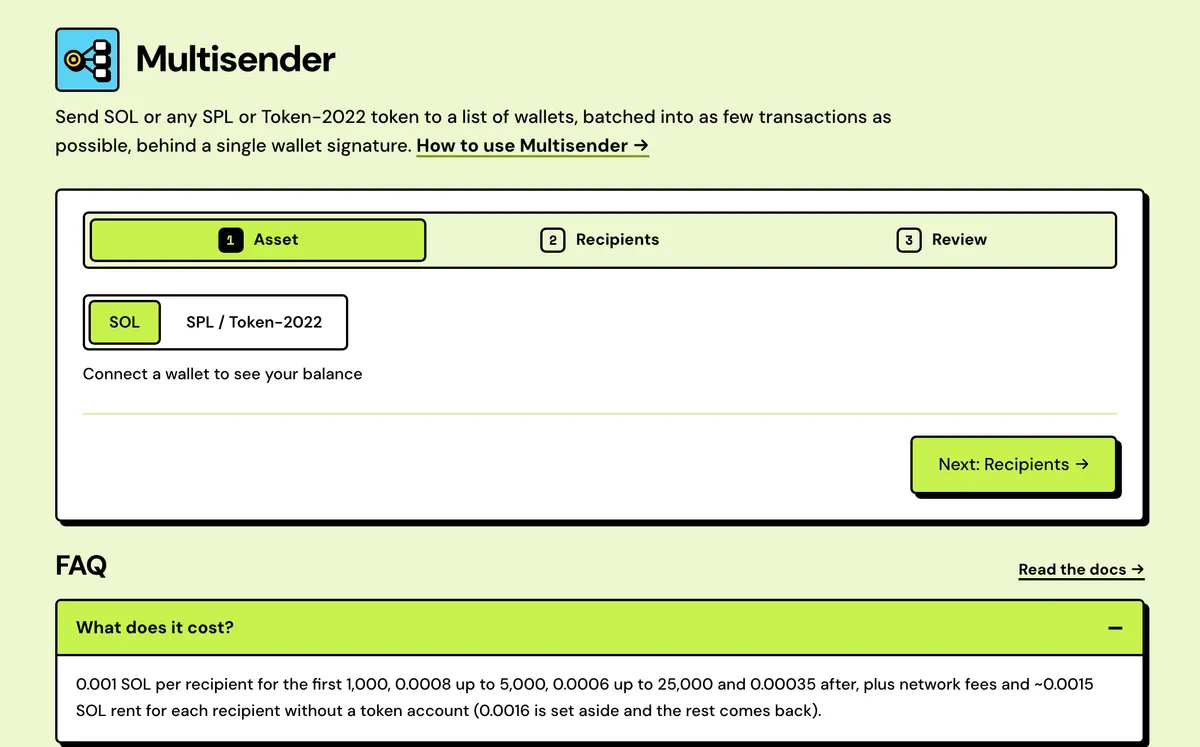
How to use the Solana Multisender
- Connect your wallet.
- Paste or upload a list of address, amount pairs.
- Review the exact total, rent and fee.
- Sign once — Solstack's server sends every batch.
- Three amount modes
- CSV, TXT or Excel
- Bad rows caught first
- Rent checked per wallet
- Frozen accounts left out
- Per-recipient CSV report
Watch it done
FAQ
How many recipients?
As many as your list holds, with one signature. A longer list just takes more batches, and it keeps sending after you close the tab.
What if a batch fails?
It's retried. A recipient that can't receive (a frozen token account, say) is skipped, and its share never leaves your wallet — or comes back, for SOL. Everyone else still gets paid, and whatever is left of the approval is revoked for you when the send ends.
What list format?
One address, amount per line, or a CSV.
Is this a Solana bulk sender or batch sender?
Yes — multisender, bulk sender, batch sender and mass sender all describe the same thing: one list, one signature, and every recipient paid in batched transactions of up to 19 SOL transfers or 9 token transfers each.
Which tokens can it send?
SOL, any SPL token and any Token-2022 token. A Token-2022 transfer fee is charged once per recipient, because each one gets a single transfer straight from your wallet.
Which wallets work?
Any wallet that supports the Solana wallet standard: Phantom, Solflare, Backpack, Ledger and others. You sign once, and your keys never leave the wallet.
Can I try it on devnet first?
Yes. Switch the app to Devnet, take test SOL from the Solana Devnet Faucet and run the same list. The flow is identical, and devnet SOL is free.
Everything about the Solana MultisenderFeatures in full, how it compares, costs and the complete guide
What the Multisender does
Three amount modes
Per row from your list, the same amount for every wallet, or one total split evenly. Any remainder a split can't divide stays in your wallet.
CSV, TXT or Excel
Paste a list or drop a file. Commas, semicolons, tabs or spaces separate the columns, and a header row naming them is skipped.
Bad rows caught first
Invalid addresses and amounts are listed by line with a one-click remove. Duplicate addresses can be merged into one line with the amounts summed.
Rent checked per wallet
Before you sign, every recipient is checked for an existing token account, so the rent line counts only the wallets that need one.
Frozen accounts left out
A recipient whose token account is frozen is dropped from the quote, so its share never leaves your wallet and everyone else is still paid.
Per-recipient CSV report
From the job page, download every recipient's address, amount, status, transaction signature and note.
Solstack vs other Solana multisenders
One signature and a server-side send, instead of a wallet prompt for every batch.
Solstack Multisender
- One wallet signature for the whole list, however long
- Batches go out from Solstack's server, so closing the tab doesn't stop the send
- 0.001 SOL per recipient, stepping down past 1,000, 5,000 and 25,000 recipients
- Every recipient's status and signature downloads as a CSV
Typical Solana multisender
- Many ask you to approve each batch transaction in your wallet
- Usually send from your open tab, waiting on your wallet for each batch
- Usually one flat rate per wallet or per transaction, whatever the list size
- Usually show results on screen, with no downloadable report
Solana Multisender: Complete Guide
What is a Solana multisender?
Multisender — a bulk sender or batch sender, if you've seen it called that — is for when you already have the list: a spreadsheet of contributors, team members or contest winners with an amount next to each. Paste address, amount pairs or upload a CSV and sign once — Solstack's server then sends every batch with a key made for this job, up to 19 recipients per transaction for SOL and 9 for tokens. Close the tab, clear your browser or switch devices: it keeps going until it's done.
Tokens stay in your wallet until they're sent: you approve the job's key to spend exactly the total, so each recipient gets a single transfer from your wallet and a transfer fee is charged once. For SOL, the amount goes to the job's key first. Whatever SOL it doesn't use for rent and fees comes back to you when the send ends.
Need to reach every holder of a token instead of a list you already have? Use Airdrop — it builds the recipient list for you from the chain.
Is it safe?
Your wallet's keys never leave your wallet. What you sign is one transaction to a key made for this one job: an approval for exactly the token total your list adds up to (or, for SOL, the amount itself), plus SOL for rent and fees. Solstack's server holds that key, encrypted, and uses it only to send your batches and return what's left — so while a send runs, Solstack holds that job's SOL. The funding transaction is simulated before your wallet opens, the review screen shows the total, the rent and the fee before you sign, and you can cancel from the job page at any time. When a send ends, whatever is left of the approval is revoked for you.
What a send costs
Sending a token to 500 wallets that don't hold it yet costs 0.5 SOL in Solstack fees (0.001 SOL each; the rate steps down past 1,000, 5,000 and 25,000 recipients, to 0.00035), about 0.75 SOL in token-account rent (about 0.0015 SOL each, which stays with the recipients) and a few thousandths of a SOL in network fees for 56 batches of 9. Sending SOL to the same 500 wallets needs no rent at all and fits in 27 batches of 19.
Multisender, Airdrop or Snapshot?
- Multisender: you already have the addresses, and amounts can differ per row: payroll, presale settlements, contest winners, refunds.
- Solana Token Airdrop: you want every holder of a token, and the list should come from the chain.
- Solana Token Holder Snapshot: you only want the holder list as a CSV, to edit before sending it here.
Common mistakes
- Typing base units. Amounts are whole tokens:
0.5means half a token whatever the mint's decimals. - Closing the tab mid-send. Confirmed batches stand, and the rest resume from Distribute → Manage without re-entering the list.
- Skipping the dry run. The flow is identical on devnet, and the Solana Devnet Faucet covers the cost.
The list format
Each line is one recipient: an address and an amount in whole tokens, separated by a comma, a tab or spaces. Blank lines and lines starting with # are skipped, so a header row does no harm. A CSV, Excel or text upload takes the first two columns of every row and ignores the rest, and any row that doesn't parse is listed by line number before anything is built.
address, 150— one recipient per line, the amount in tokens, not base units.address<tab>150— pasted straight from a spreadsheet column pair.# round 2 winners— a comment line, ignored.
How many transactions a list takes
A Solana transaction is capped at 1,232 bytes, which fits 19 SOL transfers or 9 token transfers (a token recipient may also need an account created in the same transaction). Solstack packs every batch to that limit, sends it, confirms it and retries it from its server; you sign once at the start.
- 100 recipients: 6 batches for SOL, 12 for a token.
- 1,000 recipients: 53 batches for SOL, 112 for a token.
- 10,000 recipients: 527 batches for SOL, 1,112 for a token.
The fee, worked out
The per-recipient rate works like tax brackets: each recipient pays the rate of the bracket it falls in, so a longer list lowers the average without ever lowering the total. Rent is on top, and it goes to the recipients' new token accounts, not to Solstack: about 0.0015 SOL for each wallet that has never held the token.
- 500 recipients: 0.5 SOL (0.001 each).
- 1,000 recipients: 1 SOL.
- 5,000 recipients: 1 + 4,000 × 0.0008 = 4.2 SOL, an average of 0.00084.
- 25,000 recipients: 4.2 + 20,000 × 0.0006 = 16.2 SOL, an average of 0.00065.
- 100,000 recipients: 16.2 + 75,000 × 0.00035 = 42.45 SOL, an average of 0.00042.
Multisender or your own script?
A script with the Solana CLI or web3.js pays no platform fee, and it's the right call if you already run one. What it doesn't give you: a key that only ever holds this job's funds (a script holds your real keypair), token accounts and rent handled per recipient, retries on dropped batches, a skip for frozen accounts, and a send that carries on when your laptop sleeps. The per-recipient fee buys those; network fees and rent are the same either way.
List errors and how to fix them
| Message | What to do |
|---|---|
| Invalid address | Fix or remove the line. Each address must be a full base58 Solana wallet address. |
| Missing amount | Add the amount as address,amount, or switch to Same for all or Split a total. |
| Invalid amount | Use a plain number above zero, such as 150 or 0.5. Forms like 1e3 or 0x10 are refused. |
| Address appears more than once | Press Merge to sum its amounts onto one line, or keep only the first line. |
| Couldn't read that Excel file | Export the sheet as CSV and upload that instead. |
| Already lets another address spend this token | A token account holds one approval at a time, so this send's approval replaces the old one. |
| Unfinished multisend holds this token's approval | Let that send finish, or open it and press Return unused funds, then start the new one. |
What it costs
0.001 SOL per recipient for the first 1,000, 0.0008 up to 5,000, 0.0006 up to 25,000 and 0.00035 after, plus network fees and ~0.0015 SOL rent for any recipient receiving that token for the first time (0.0016 is set aside and the rest comes back).